Rigid Sign with Cut Vinyl Graphics - Golden Product
 Updated
by Aaron Aldrich
Updated
by Aaron Aldrich
Introduction
The Rigid Sign with Cut Vinyl Graphics Golden Product is designed to price rigid substrate signs that use plotter-cut vinyl graphics. It combines substrates, cut vinyl, hardware, double-sided options, and labor into a single estimate, making it a versatile solution for many common sign applications. This article is designed to supplement the video below, with terminology and steps aligned directly to the walkthrough demonstrated.
Related video: Rigid Sign w Cut Vinyl Graphics
Steps
Step 1 – Locate the Rigid Sign with Cut Vinyl Graphics Product
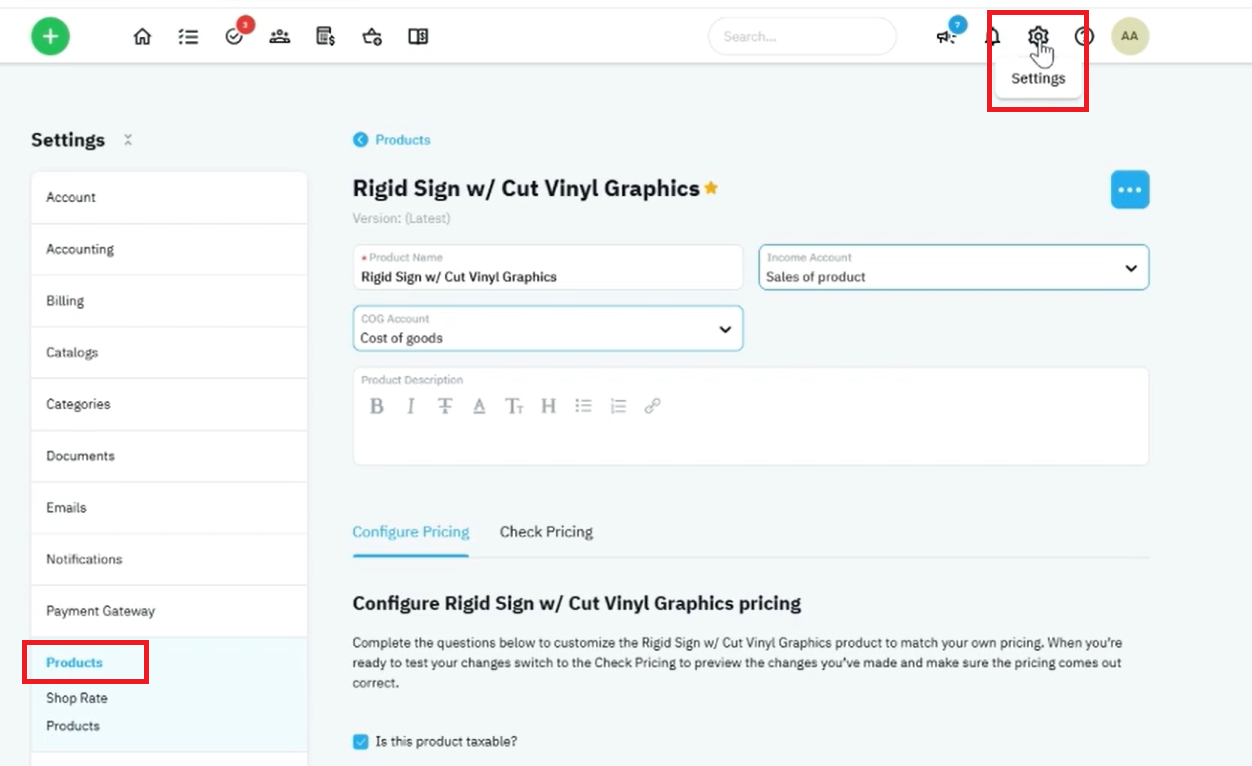
- Navigate to Settings → Products.
- Search for Rigid Sign with Cut Vinyl Graphics.
- Open the product.
- Select Configure Pricing.
Step 2 – Configure Available Substrates
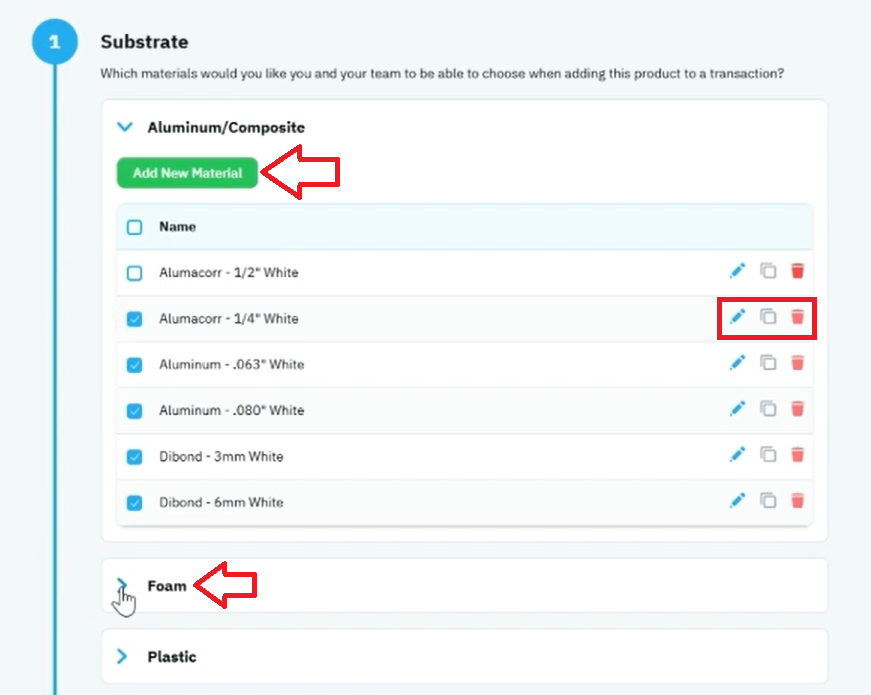
- Locate the Substrates section.
- Review the preloaded substrate options.
- Edit existing substrate names if needed.
- Duplicate substrates to create variations.
- Add additional substrates for your shop's offerings.
Examples of substrate options include:
- Foam Board
- Acrylic
- Plastic
- Aluminum Composite Material (ACM)
- PVC (Sentra)
You may also create multiple thickness variations by duplicating and editing existing materials.
Step 3 – Configure Cut Vinyl Options
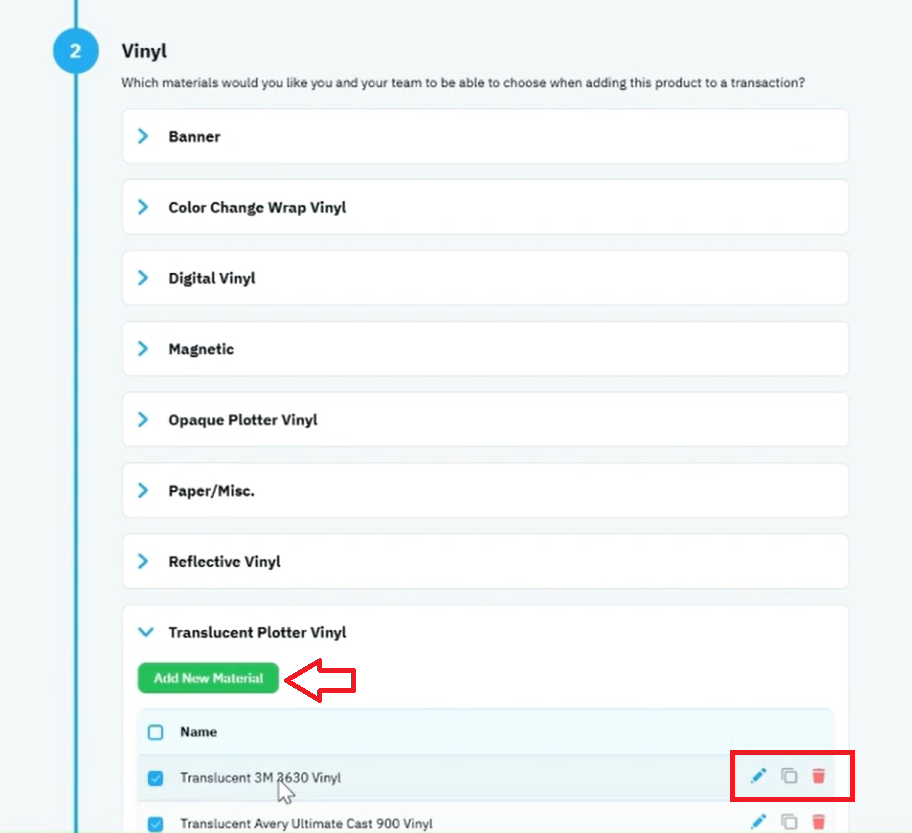
- Navigate to the Vinyl section.
- Review the available plotter-cut vinyl materials.
- Select the vinyls you want available when quoting.
- Add additional vinyl types if needed.
- Save any changes.
Examples include:
- Opaque Plotter Vinyl
- Reflective Vinyl
- Translucent Vinyl
This section controls the graphics applied to the rigid substrate.
Step 4 – Configure Hardware and Finishing Options
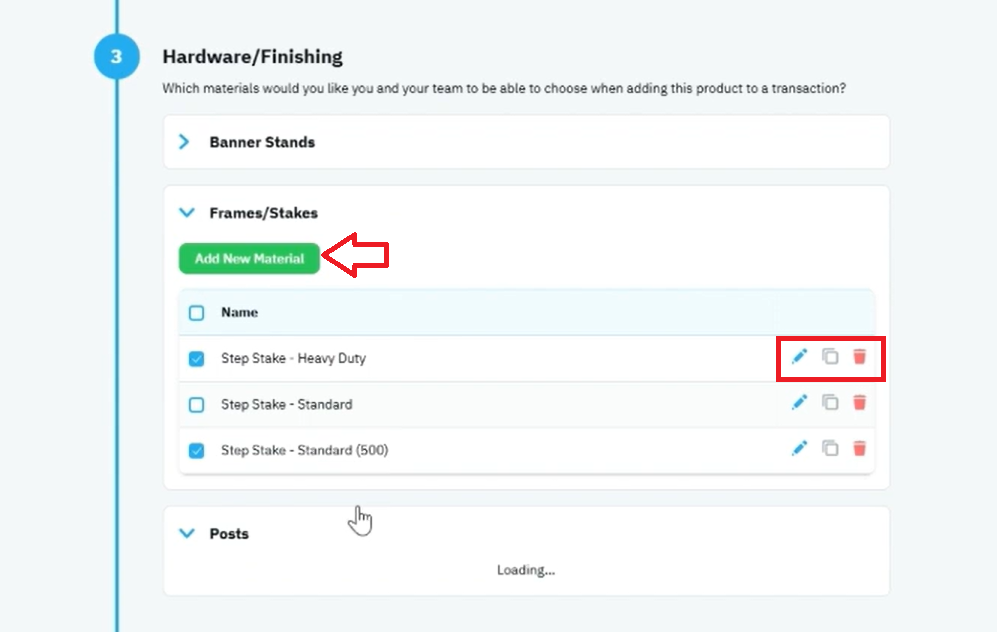
- Locate the Hardware Finishing section.
- Review available hardware options.
- Add new hardware items if required.
- Edit hardware names and pricing as needed.
- Save changes.
Examples include:
- Sign Posts
- Frames
- Mounting Hardware
- Brackets
When selling multiple posts, create hardware items as complete sets (for example, a set of two posts or a set of four posts).
Step 5 – Configure Double-Sided and Labor Pricing
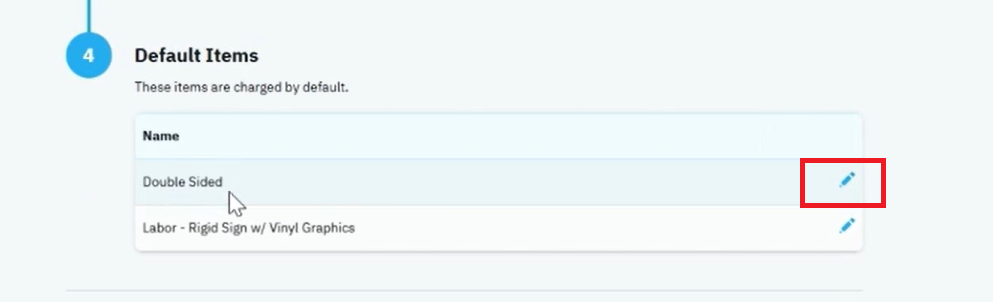
- Review the Default Items section.
- Verify the Double-Sided Charge percentage.
- Adjust the percentage if your shop uses a different pricing model.
- Review the production labor rate.
- Update labor pricing as needed.
By default, the second side is calculated at 50% of the front-side graphics cost.
The labor item is connected to the labor adjustment slider used during estimating.
Step 6 – Open Check Pricing
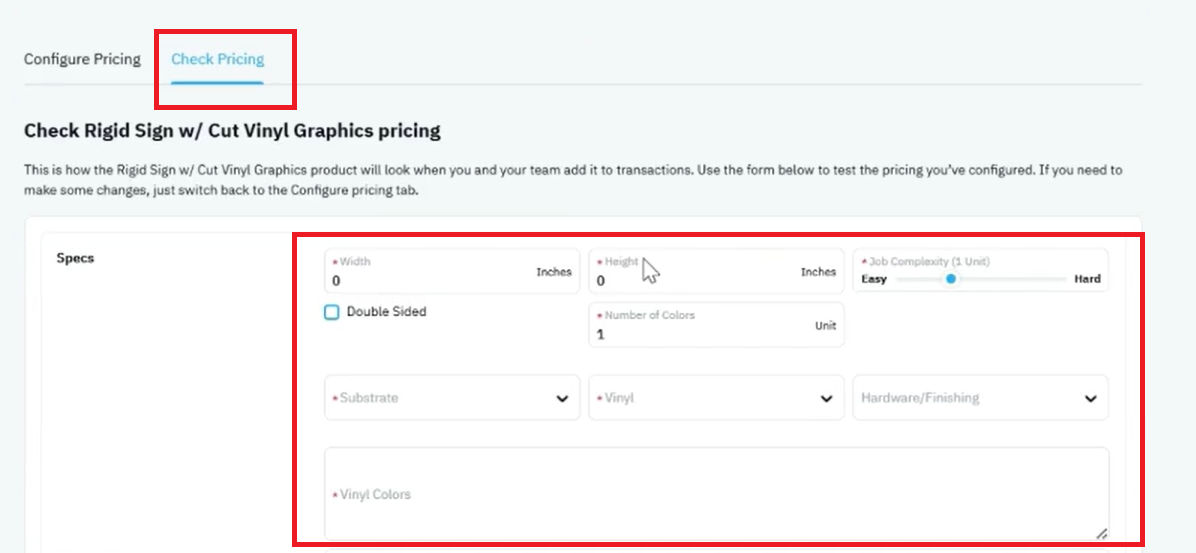
- Select the Check Pricing tab.
- Enter the sign dimensions.
- Select the appropriate substrate.
- Choose the cut vinyl material.
- Select any required hardware options.
- Adjust labor settings if necessary.
The system will automatically calculate pricing based on the selected materials and options.
Step 7 – Review the Price Breakdown
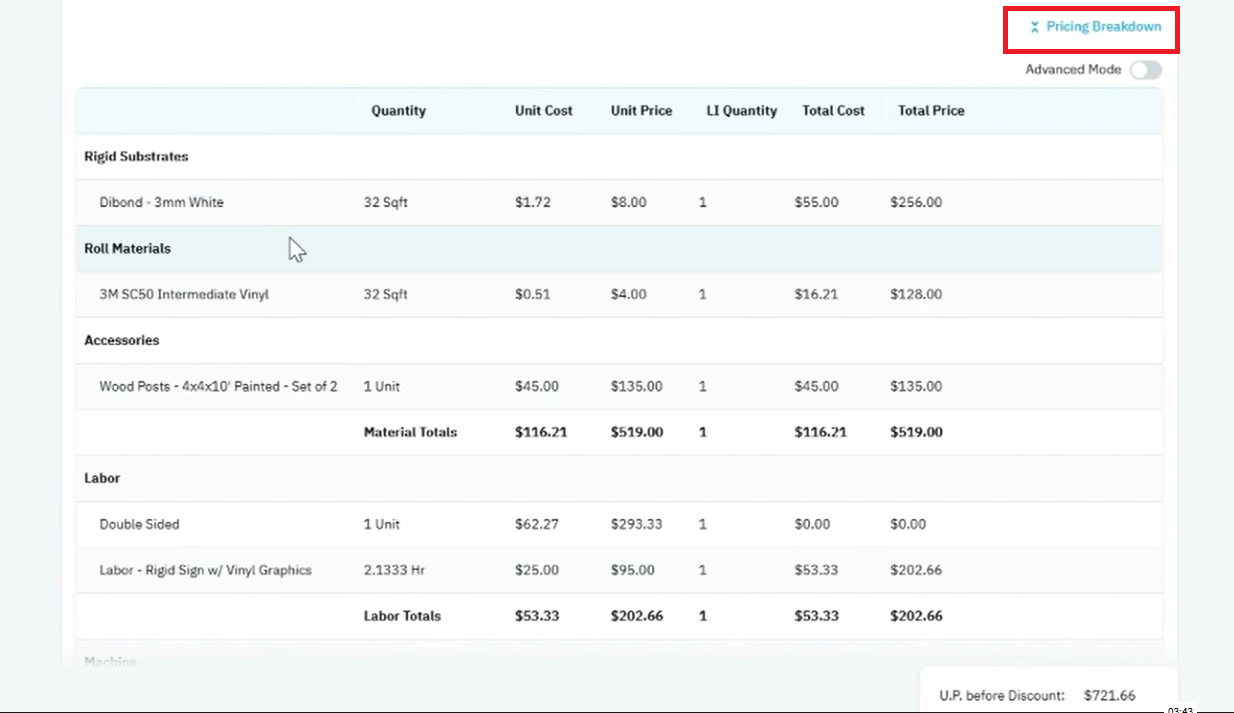
- Click Price Breakdown.
- Review the bill of materials.
- Verify substrate pricing.
- Confirm vinyl material calculations.
- Check hardware pricing.
- Review labor and double-sided charges.
- Validate the final selling price.
The breakdown displays:
- Material Costs
- Material Pricing
- Hardware Charges
- Labor Charges
- Double-Sided Charges
- Total Selling Price
Notes & Tips
🔹 Tip: This product is often considered the “Swiss Army Knife” of substrate-based sign products because it can support a wide variety of rigid sign applications.
🔹 Tip: Duplicate existing substrates to quickly create thickness variations without rebuilding material settings from scratch.
🔹 Tip: Create hardware as complete sets when selling multiple sign posts to simplify quoting and improve pricing accuracy.
🔹 Tip: Rename generic materials to match supplier terminology used by your shop.
⚠️ Warning: This product is intended for cut vinyl graphics. For digitally printed graphics, consider using a printed sign product instead.
⚠️ Warning: Hardware pricing should reflect complete installation sets when multiple components are sold together.
⚠️ Warning: Verify double-sided pricing percentages align with your production and material costs.
⚠️ Warning: Changes made to substrate dimensions, material pricing, or labor rates will directly impact quote calculations.
Outcome / Summary
After following these steps, you should be able to:
· Configure rigid sign substrates and cut vinyl materials.
· Maintain hardware and finishing options for sign installations.
· Configure double-sided pricing logic.
· Manage labor rates for production and assembly.
· Generate accurate estimates for rigid signs with cut vinyl graphics.
· Review detailed material, labor, hardware, and pricing calculations using the Price Breakdown.

